
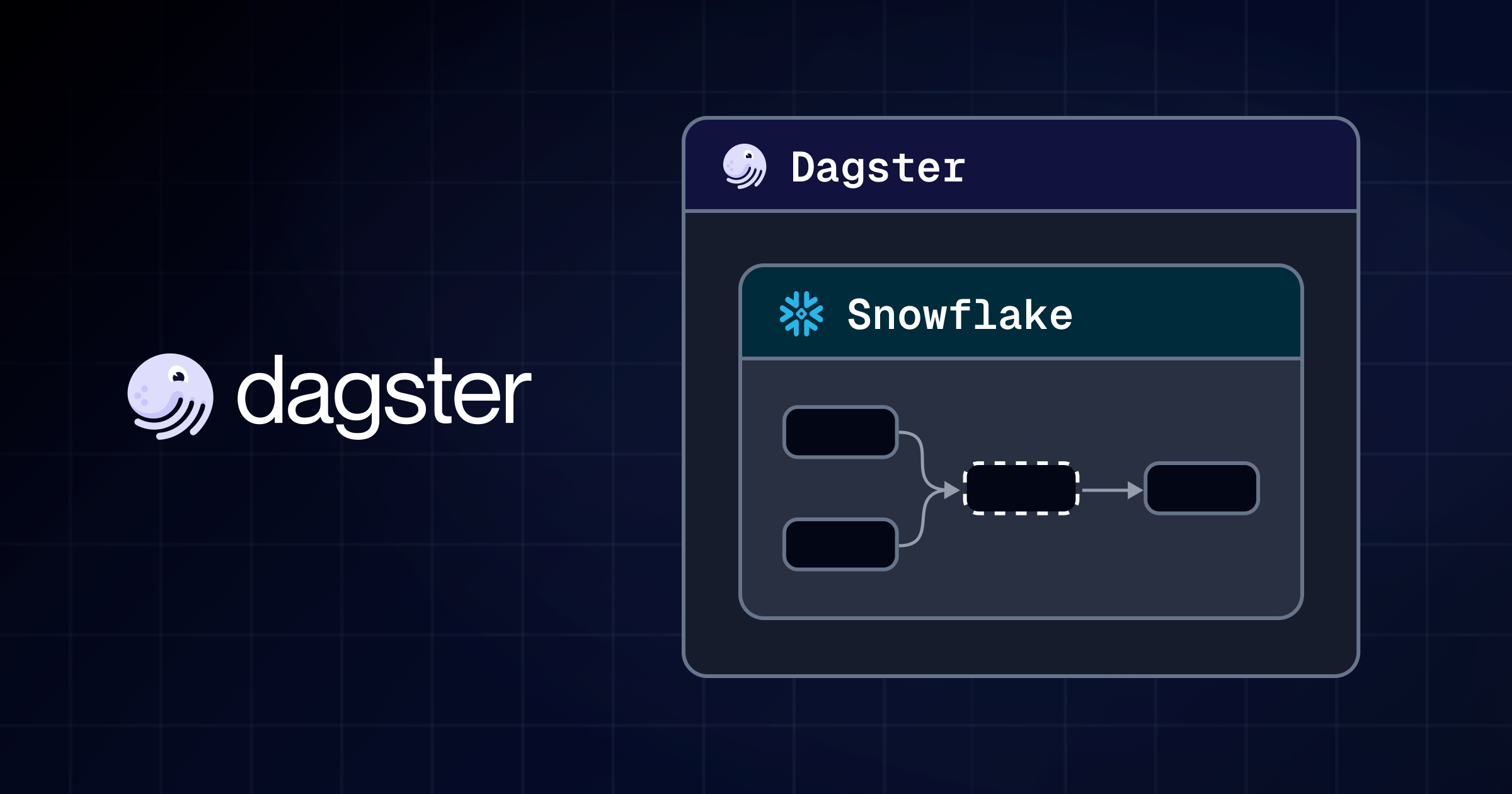
Snowflake increasingly handles transformation and data freshness internally through features like Dynamic Tables and Cortex. Dagster complements Snowflake by providing orchestration, lineage, automation, and cost visibility across your broader data platform from SQL-defined assets to downstream automation and Snowflake query attribution.
At Dagster Labs, we love Snowflake. It's one of the most capable data platforms: fast, scalable, and increasingly handling its own transformation work through features like Dynamic Tables and Cortex.
While Snowflake has been building, we've focused on creating features that make Dagster the best orchestration layer on top of it. With Snowflake Summit happening next week, we wanted to share some of the most interesting things you can do with Dagster to help you get the most out of your Snowflake deployment.
Start with SQL, not Python
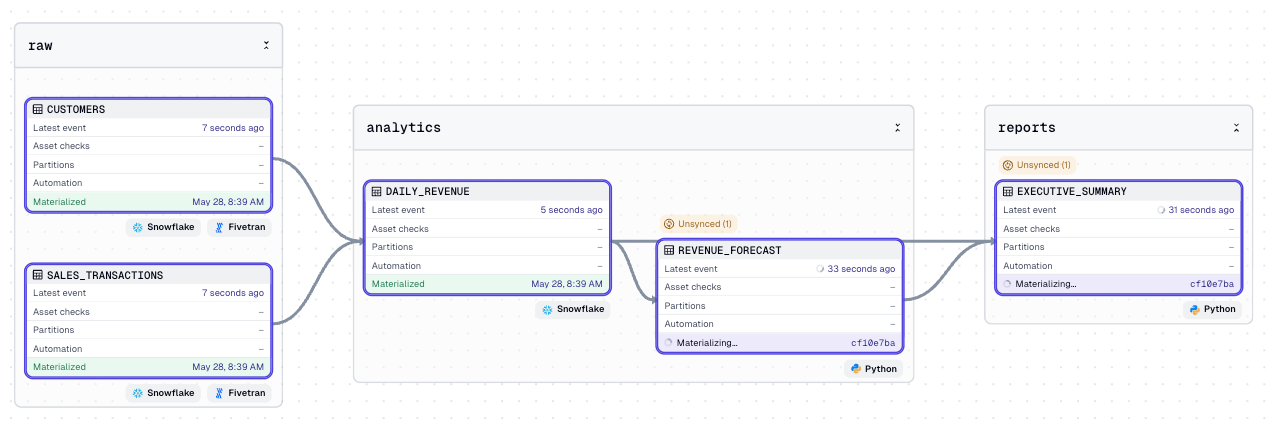
Not every Snowflake pipeline needs Python, but sometimes you may still want the flexibility that comes from defining your Snowflake data alongside your other data products. With Dagster, the Snowflake SQL component lets you define Dagster assets directly from SQL files using a simple YAML configuration.
type: dagster.TemplatedSqlComponent

attributes:
  sql_template: |
    SELECT
      DATE_TRUNC('day', {{ date_column }}) as date,
      SUM({{ amount_column }}) as daily_revenue
    FROM {{ table_name }}
    WHERE {{ date_column }} >= '{{ start_date }}'
    GROUP BY DATE_TRUNC('day', {{ date_column }})
    ORDER BY date

  sql_template_vars:
    table_name: SALES_TRANSACTIONS
    date_column: TRANSACTION_DATE
    amount_column: SALE_AMOUNT
    start_date: "2024-01-01"

  connection: "{{ context.load_component('snowflake_connection') }}"

  assets:
    - key: ANALYTICS/DAILY_REVENUE
      group_name: analytics
      kinds: [snowflake]
Scaffold a component, point it at your SQL, and Dagster handles the asset definition, lineage tracking, and materialization history. For teams that live in SQL, this is the fastest path into Dagster's orchestration model. For teams that already write Python, it's a clean way to keep simple transformations simple.
Dynamic Tables belong in your lineage graph
Snowflake Dynamic Tables are a great feature that allows you to offload the responsibility of ensuring your data remains fresh automatically. However, assets that materialize this way create an orchestration puzzle. If Dagster never executes them, how does a downstream asset know when to re-run?
The answer is creating virtual assets within your Dagster asset graph using is_virtual=True:
customer_lifetime_value = dg.AssetSpec(
    key="customer_lifetime_value",
    deps=["raw_orders", "raw_customers"],
    is_virtual=True,
    metadata={"target_lag": "1 minute", "refresh_mode": "INCREMENTAL"},
)
This tells Dagster that an asset should be maintained alongside the rest of the asset graph, but Dagster is not responsible for the actual materialization. Declaring virtual assets works hand in hand with Dynamic Tables, where Snowflake is responsible for maintaining the data.
The important part when combining Dagster and Dynamic Tables is when downstream work should run. A Dynamic Table isn't a view that's instantly consistent with its source. It's an asynchronous cache that Snowflake refreshes on a target lag, anywhere from a minute to an hour behind the source. So the right trigger isn't "the source changed," it's "the table actually refreshed." A Dagster sensor watches each table's last_completed_refresh and fires the downstream run only once new data has landed so your feature pipeline or dashboard re-runs on fresh data every time, and never reads a table mid-lag.
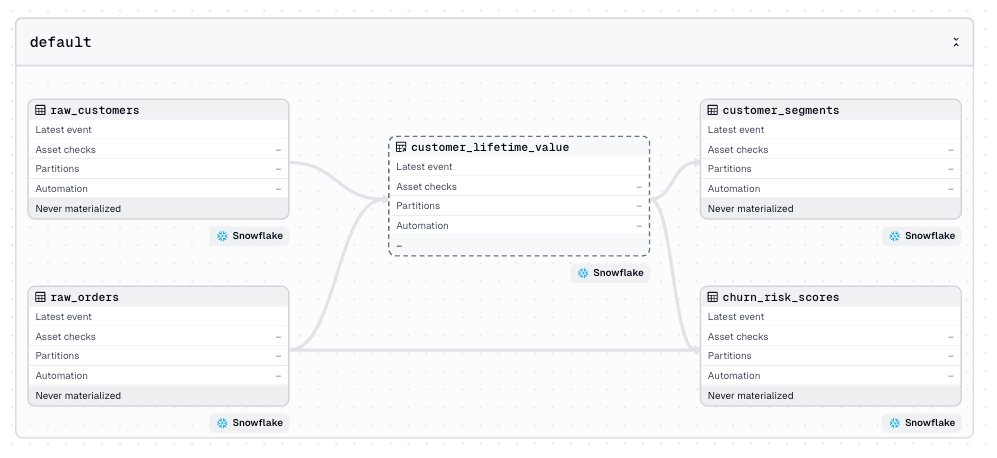
The pattern applies beyond Dynamic Tables. Any managed object, including views, materialized views, or Cortex outputs, can be modeled as a virtual asset.
We've published a complete working example that covers the full pattern end-to-end: source tables, Dynamic Tables as virtual assets, a freshness sensor that both keeps catalog metadata current and triggers downstream assets when a refresh completes, and asset checks that give a pass/fail signal when Snowflake's own scheduling state is unhealthy.
See what your Snowflake pipelines actually cost
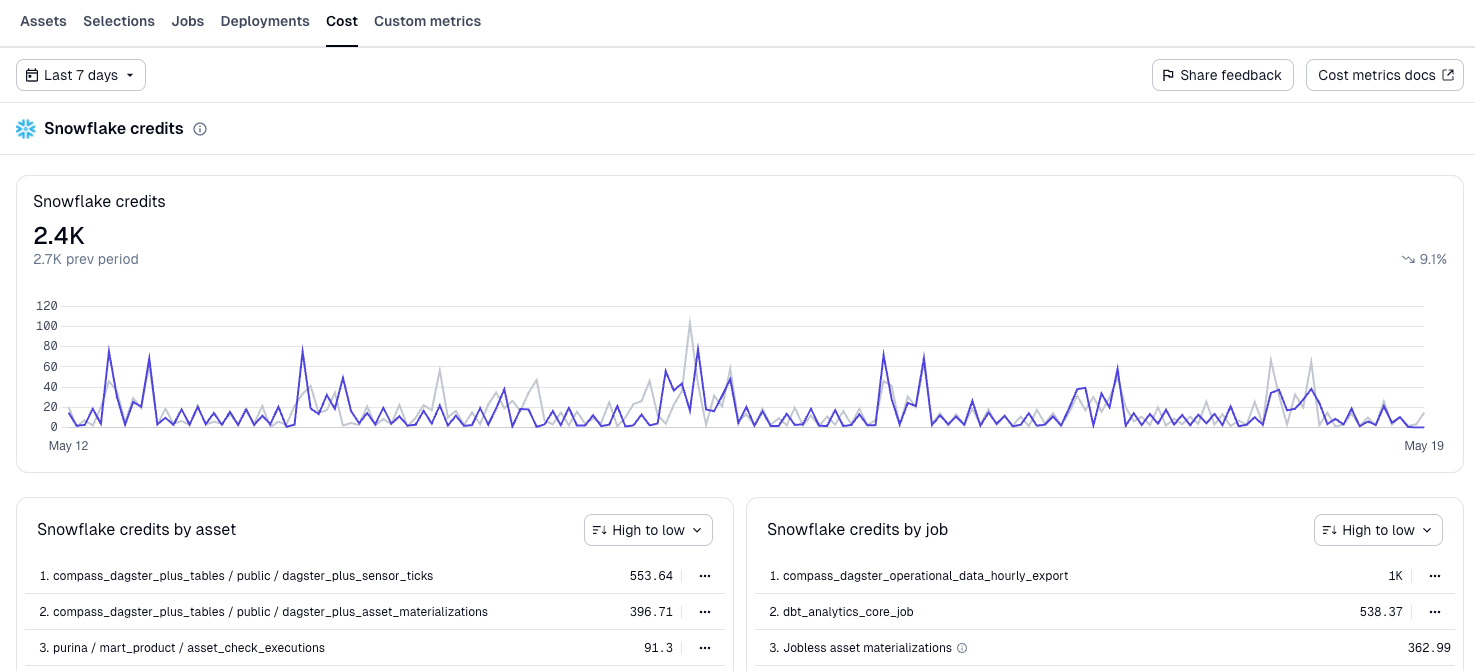
When you're running hundreds of assets against Snowflake, knowing which pipelines are expensive matters. Dagster Insights attributes Snowflake query costs directly to the assets that incurred them.
Instead of digging through Snowflake's query history to understand a credit spike, you see it in the same view as your pipeline runs, with the asset already identified. Insights works with direct Snowflake assets and dbt models, so your entire Snowflake footprint is visible and attributable in one place.
Come find us at Snowflake Summit
Many of our customers have used Snowflake and Dagster together to build production data platforms. If you'd like to hear more, we'll be at booth 1222 all week. Come by for a live demo, a walkthrough of Insights cost attribution on a real Snowflake account, or just to talk about how Dagster fits into your stack. We'd love to meet you.
Have feedback or questions? Start a discussion in Slack or Github.
Interested in working with us? View our open roles.
Want more content like this? Follow us on LinkedIn.