
A deep dive into how Dagster leverages pyproject.toml for modern Python packaging, from project metadata and dependencies to build systems and development tooling.
In the previous blog post, we explored the role of `pyproject.toml` in Python packaging and why it serves as the primary interface for modern Python projects. Now, we’ll take a closer look at the `pyproject.toml` generated by `uvx create-dagster` when scaffolding a new Dagster project. We’ll walk through our design decisions and show how we use this file to streamline Python development.
As a quick refresher, `pyproject.toml` defines the build system for your package. It provides a universal interface that enables a range of Python ecosystem tools to work together seamlessly. By examining its various sections, you’ll gain insight into how to configure your Dagster project for your specific needs.
Project Metadata and Dependencies
[project]
name = "my_project"
requires-python = ">=3.9,<3.13"
version = "0.1.0"
dependencies = [
    "dagster==1.11.3",
]
This core section, defined by PEP 621, contains key metadata about your project. It includes essentials like the project’s name, version, and the Python versions it supports, as well as the core dependencies your project requires.
For a Dagster project, it makes sense to include `dagster` here. You can also list additional dependencies, such as Dagster-specific libraries (e.g. `dagster-duckdb` ) or any libraries your code needs (e.g. `pandas` ).
dependencies = [
    "dagster==1.11.3",
    “dagster-duckdb”,
    “pandas<=2.3”,
]
You can choose whether to pin specific dependency versions. While pinning is generally a good practice for reproducibility, it’s not strictly required within `pyproject.toml`. If you’re using a package manager such as uv, you can resolve and lock dependencies by running:
uv lock
This generates a `uv.lock` file with the exact versions in use. And while we prefer `uv`, the same setup works with `pip` as well.
Named Dependencies
[dependency-groups]
dev = [
    "dagster-webserver",
    "dagster-dg-cli[local]",
]
Not all dependencies need to be listed in the main `dependencies` section. PEP 735 introduces a standardized way to define named dependency groups: collections of packages that aren’t part of the built distribution, mapped to specific keys.
Before `pyproject.toml`, Python projects often used separate `requirements.txt` files for different dependency sets, such as `requirements-dev.txt for development. With `dependency-groups`, you can keep all dependencies (core and optional) in one place, making it easier to resolve and understand your project’s complete dependency map.
In a newly scaffolded Dagster project, you’ll find two `dev` dependencies by default:
- `dagster-webserver` – Runs the Dagster UI so you can explore and test pipelines interactively.
- `dagster-dg-cli` – Provides the full `dg` CLI, making it easy to scaffold, navigate, and manage your project.
These tools are invaluable during development but unnecessary when uploading code locations for production use.
Named dependencies are also a good place to put other development tools like linters and test frameworks:
[dependency-groups]
dev = [
    "dagster-webserver",
    "dagster-dg-cli[local]",
]
testing = [
    "pytest",
    “ruff”,
]
By default, `uv sync` installs both your core and all named dependencies. To install only a specific group, use the `--group` flag:
uv sync --group testing
To exclude all named dependencies, use:
uv sync --no-dev
Build System
[build-system]
requires = ["hatchling"]
build-backend = "hatchling.build"
In the previous post, we covered the difference between a build system and a build backend. Separating these two concepts allows you to change the backend while keeping the interface consistent.
By default, Dagster projects use Hatchling (`hatchling.build`) as the backend. Hatchling is a modern alternative to older tools like `setuptools`, offering a faster and more streamlined build process. That said, `pyrproject.toml` supports many possible backends, so you can choose one that best fits your workflow.
Build Backend
| Build Backend | 'requires' | 'build-backend' |
|---|---|---|
| setuptools | ["setuptools", "wheel"] | setuptools.build_meta |
| Flit | ["flit_core"] | flit_core.buildapi |
| Poetry | ["poetry-core"] | poetry.core.masonry.api |
| PDM | ["pdm-backend"] | pdm.backend |
Given our fondness for `uv` we may use the uv build backend in the future.
Tools
[tool.dg]
directory_type = "project"

[tool.dg.project]
root_module = "my_project"
registry_modules = [
    "my_project.components.*",
]
The final section of the generated `pyrpoject.toml` configures `dg`in the [tool.dg*] blocks. These settings define how your Dagster project is structured so that `dg` commands work correctly. Specifically, `dg` needs to know:
- root_module - The top-level Python package for your project.
- registry_modules – The locations where components (e.g., assets, jobs, sensors) should be registered.
If you’re creating a new Dagster project from scratch, you usually don’t need to change this section. However, it can be useful when migrating an existing project into the dg structure, as you may need to update the module paths to match your project’s layout.
While this is the only [tool.*] section Dagster sets up during scaffolding, you can add more for other tools. For example, if you use ruff (another Dagster favorite) for linting and formatting, you can configure project-specific rules directly in a [tool.ruff] block.
[tool.ruff]
line-length = 100
Ruff has its own configuration file type (`ruff.toml`) but it is much more clear to define these types of rules within the pyproject alongside configuration rules for other tools.
Overview
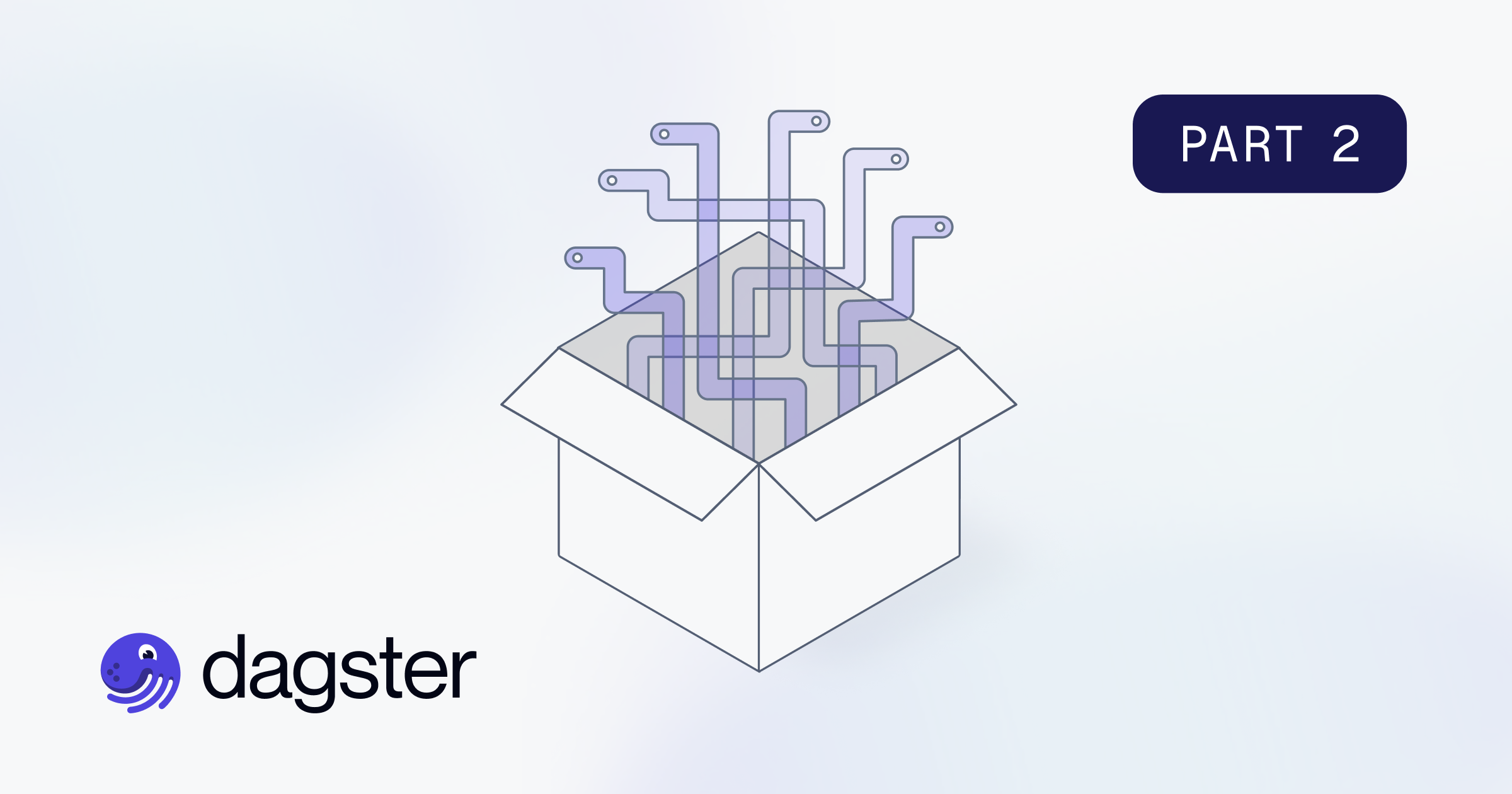
Hopefully this walkthrough clarifies how the various pieces of `pyrpoject.toml` and related tools come together to form a Dagster project. Revisiting the layers of packaging we discussed in the previous post, the structure now looks something like this:
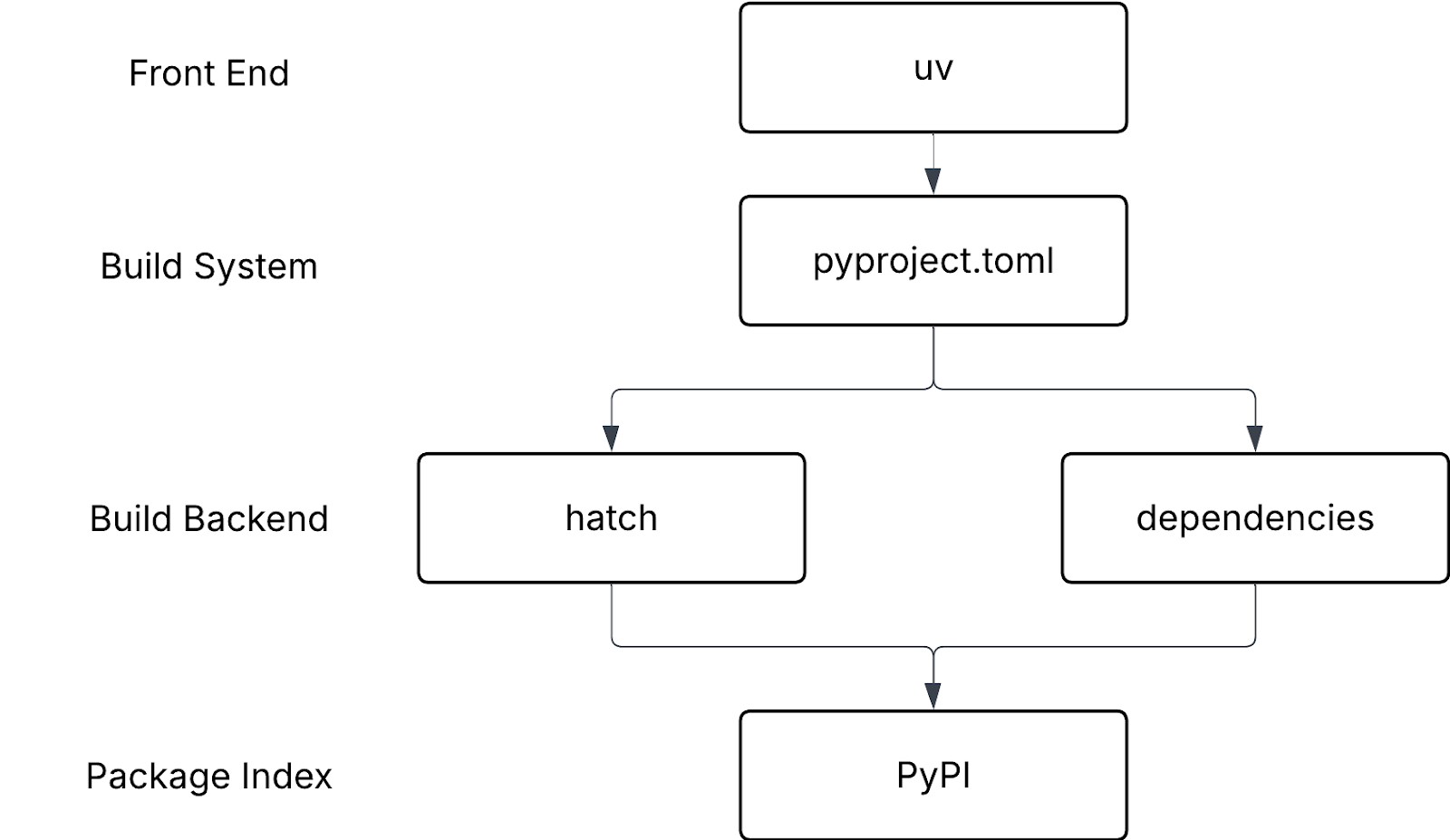
While this isn’t the only way to configure a Dagster project, the pattern we’ve covered is a solid starting point. You can swap out individual sections, change tooling, or add new configuration blocks as your needs evolve.
Understanding how these parts work together not only helps you work more effectively with Dagster, it also deepens your grasp of modern Python packaging as a whole.