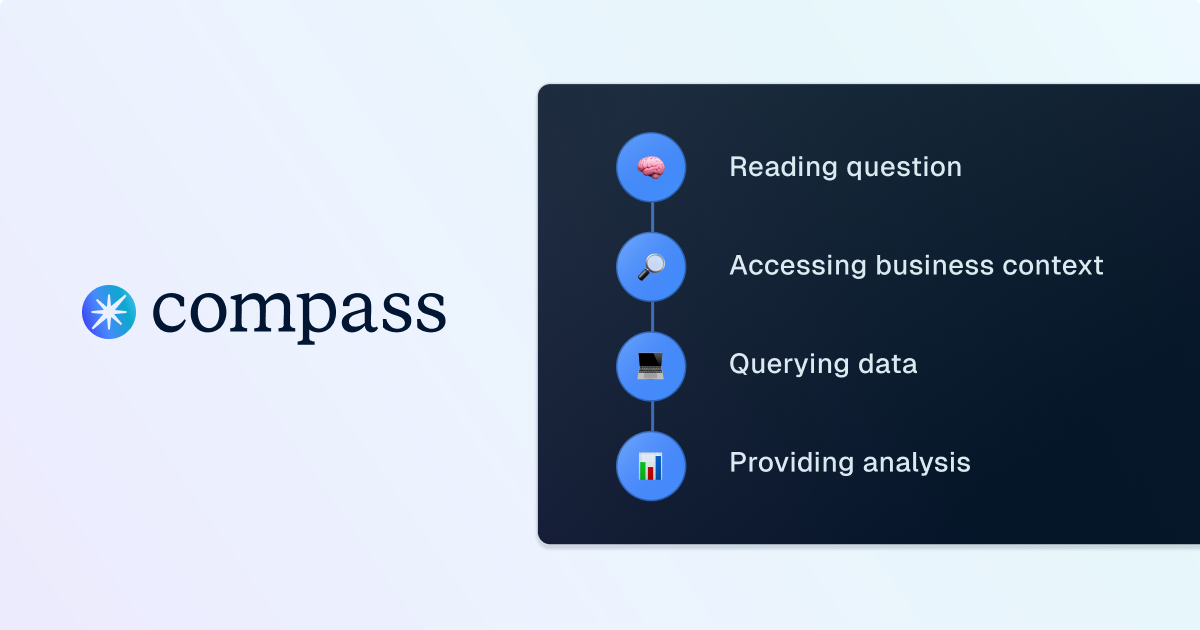


Go behind the scenes of Compass, Dagster’s analyst copilot, to see how it transforms plain-language questions into precise, optimized SQL queries. Learn how each step of the query-generation process helps analysts move faster and stay focused on insights.
Data professionals rely heavily on query planners, the unsung heroes of every database system. A query planner takes a high-level declarative query (like SQL) and figures out the most efficient way to execute it against the physical database. That process involves multiple layers of parsing, optimization, and execution.
Compass follows a similar principle. But instead of starting with a structured declarative query, Compass begins with something much more flexible—and much more ambiguous: natural language. The end goal is still the same, a well-formed query (or series of queries) against your database, but there are several additional steps needed to bridge the gap between human language and SQL execution.
This post breaks down the lifecycle of a query inside Compass. We’ll use an example question: “Show me Q3 sales by region?” and follow how Compass interprets, structures, and executes it.
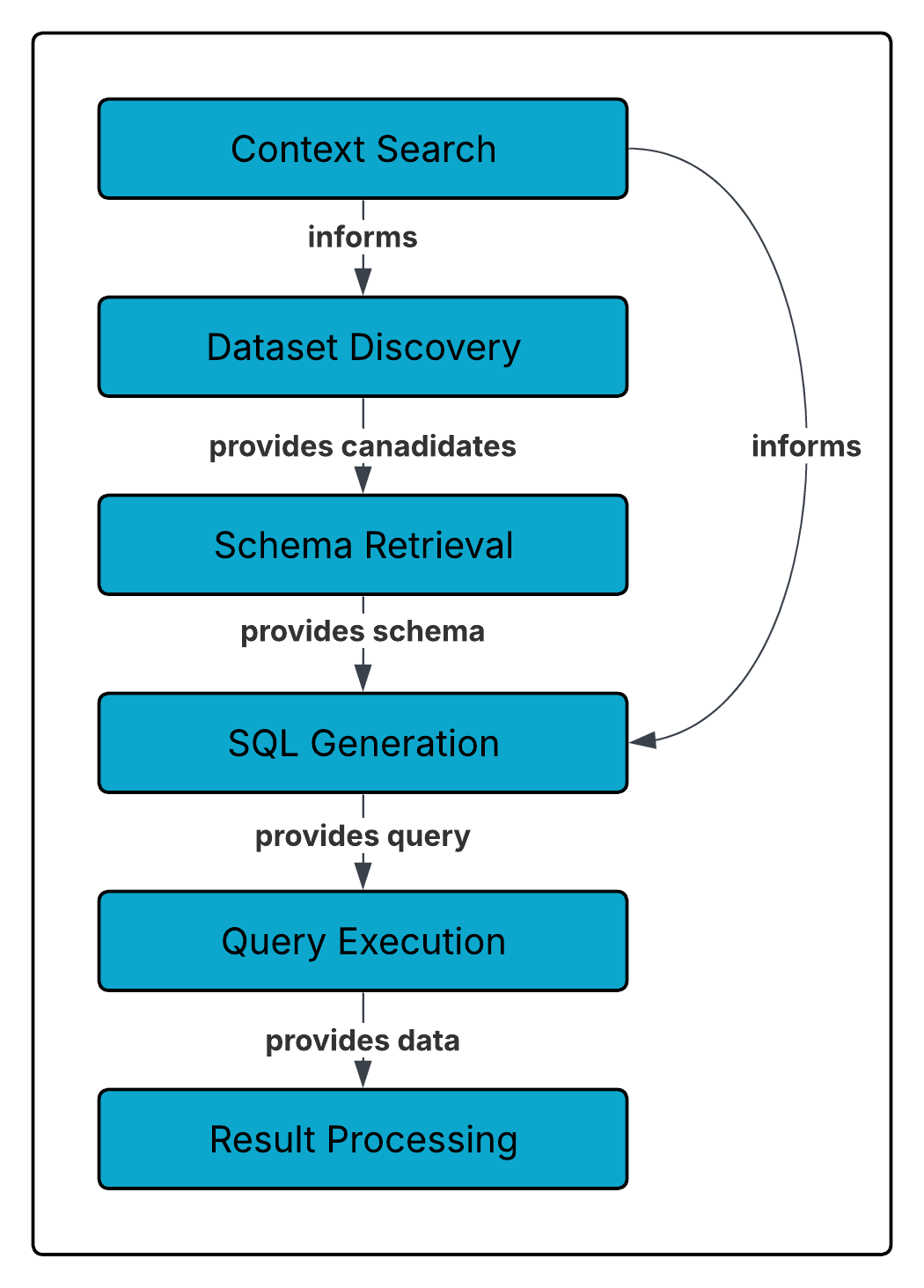
1. Context Search
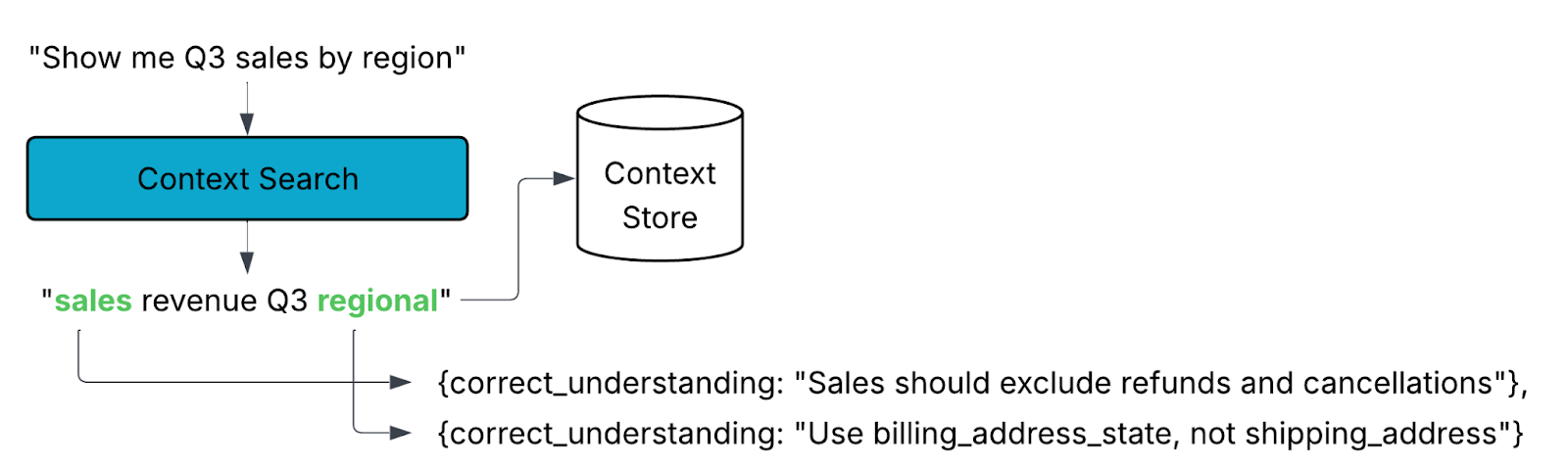
Large Language Models (LLMs) are powerful, but they can’t know everything. Their accuracy is bounded by the context they’re given. Your data platform isn’t just tables and schemas, it also embodies years of institutional knowledge: naming conventions, business logic, edge cases, and custom terminology. An uninformed LLM wouldn’t know that your “net sales” metric excludes refunds or that you always use billing_address_state rather than shipping_address.
That’s why Compass emphasizes context from the very beginning. Each instance of Compass is unique to your organization. Over time, you can shape its understanding by providing definitions, feedback, and guidance.
When you ask a question, Compass extracts key concepts and searches its context store for relevant definitions, documentation, or prior clarifications. This grounding ensures that the SQL it generates reflects your business reality, not just the literal words in your query.
2. Dataset Discovery
In SQL, you must be explicit: “SELECT * FROM table_name”. With natural language, Compass has to infer what the right dataset is before it can even begin constructing SQL.
To do this, Compass starts broad. It scans all available datasets and looks at their names, descriptions, metadata, and business keywords. Then, it narrows down to the most likely candidates.
Again, context matters. If your company has multiple tables tracking “sales,” Compass will rely on your guidance and prior feedback to prioritize the right one. The more you refine Compass’s understanding of where your trusted data lives, the better its results will be.

3. Schema Retrieval
Once Compass identifies candidate datasets, it dives deeper. This step involves retrieving schema information, columns, data types, constraints, as well as any additional metadata tied to the tables. With this richer picture, Compass can determine which fields are most relevant to your request.
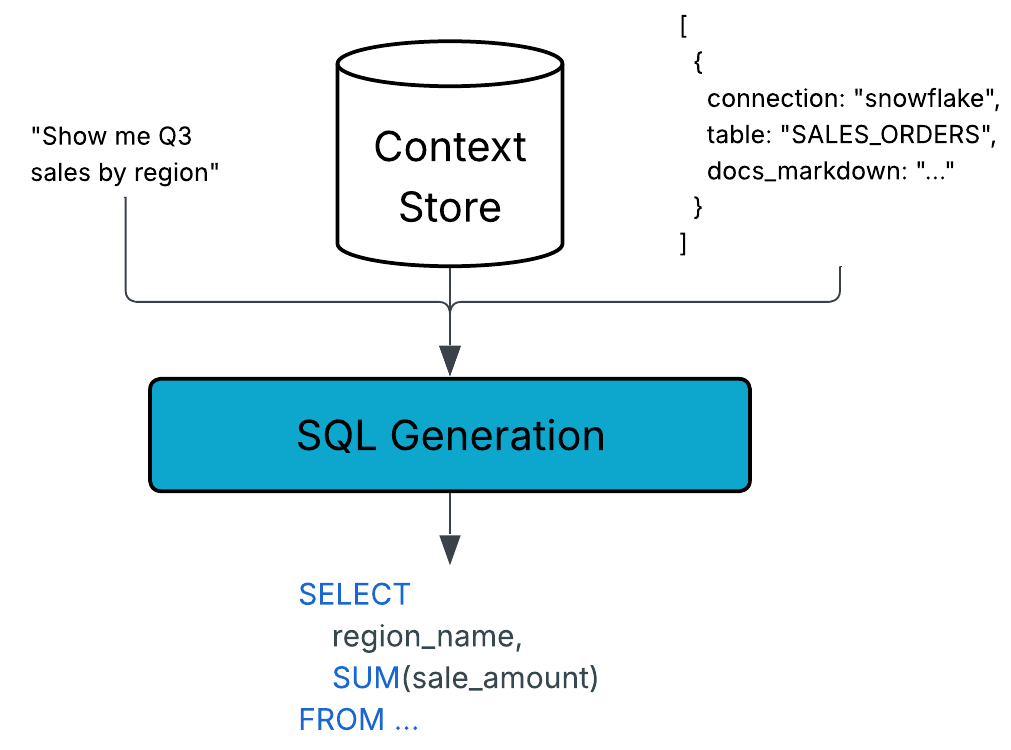
For example, if you asked for “sales by region,” Compass might confirm that region_name is the appropriate column and that sale_amount should be aggregated because those associations are captured in the schema and context store.

4. SQL Generation
Now the pieces come together. Compass uses an agent to synthesize multiple inputs:
- The natural language of your original request
- Business context retrieved from the context store
- Schema details and metadata
- The SQL dialect of your underlying system (Snowflake, BigQuery, Redshift, etc.)
- Prompt guidance for query style and format
This synthesis produces a SQL statement that is both syntactically valid and semantically aligned with your organization’s business rules. In other words, it’s not just “any query that runs”, it’s the right query.
5. Query Execution
With SQL in hand, Compass connects to your data warehouse using appropriate drivers. At this stage, we enter familiar territory. The database itself is responsible for optimizing and executing the query.
Compass manages execution by handling things like result size limits, timeouts, and retries. Once the warehouse finishes, Compass retrieves the results safely, truncating or sampling if necessary to avoid overwhelming the user with excessive data.

6. Result Processing
Finally, Compass turns raw query output into insight. The agent analyzes the results, summarizes key findings, and, when appropriate, generates visualizations. Crucially, Compass doesn’t just give you an answer, it provides the methodology behind it. This transparency allows you to validate the logic and build trust in the output.
Compass also suggests follow-up questions, enabling iterative exploration. If your initial query was “sales by region,” Compass might prompt you to compare regions over time, or to drill into the top-performing states. This guided discovery is part of what makes Compass more than just a query generator.

7. Feedback Loop
These are the high level steps that Compass navigates to generate queries. You can get the details of each step by clicking on the “See all steps” button within the thread. Within there you may also see Compass do certain steps multiple times as it refines its search. It may also execute multiple queries to ensure better results.
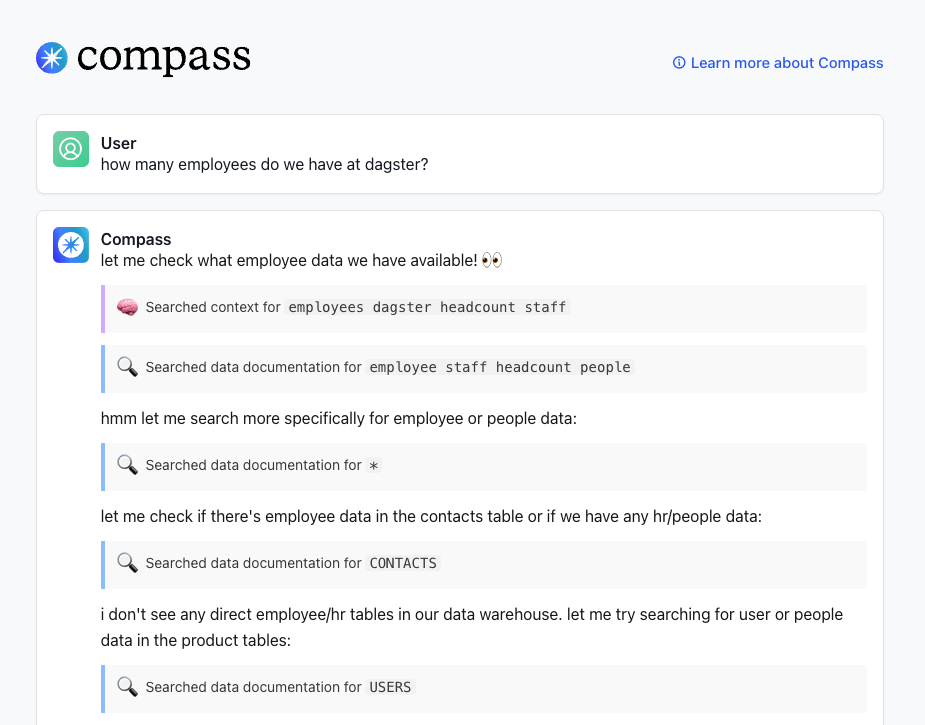
And asking Compass a question is the beginning of a conversation. You can request followups, ask for more clarification, or store additional context as you explore.
How to Think About Your Compass Queries
Much like you don’t think about every internal step of a database query planner, you don’t need to micromanage Compass. But it helps to understand the sophistication at work behind each answer.
Your Compass instance is tailored to your organization. The richer the context you provide, the sharper and more accurate your results will be. By grounding every query in your institutional knowledge, Compass ensures that you’re not just querying data, you’re asking questions in the language of your business and getting the best answers possible.



.png)
.jpg)