
What Is dbt Cloud?
dbt Cloud is a managed service for data transformation built on dbt Core, designed to simplify the process of building, deploying, and managing data transformation pipelines. It offers a user-friendly interface and features like integrated version control, job scheduling, and rich documentation for data models.
By automating many processes, it reduces the complexity involved in setting up and managing data transformation workflows, enabling teams to focus more on data modeling and analysis rather than infrastructure concerns. dbt Cloud enhances collaboration among data teams by providing tools that integrate seamlessly with existing data platforms.
This integration allows for more efficient sharing and validation of models across teams. With features like debugging, model development, and testing environments, dbt Cloud supports iterative development and rapid prototyping. It allows teams to operationalize analytics quickly, ensuring data consistency and accuracy while optimizing model deployment and collaboration.
Why Consider Alternatives to dbt Cloud?
While dbt Cloud is a powerful tool for data transformation, it may not be the best fit for every organization. Several practical challenges lead businesses to explore alternatives:
- Limited visual tools – dbt primarily relies on SQL and code-based workflows, which can be a barrier for teams that prefer visual interfaces for designing and managing transformations.
- Steep learning curve – Mastering dbt requires familiarity with Git workflows, YAML configurations, and Jinja templating, which not all data professionals have.
- Enterprise requirements – Larger organizations may need features like role-based access control, audit logs, and priority support, which aren't fully covered by dbt’s open-source version.
- Real-time processing – dbt is optimized for batch transformations but lacks native support for real-time data processing.
- Integration complexity – Setting up dbt within an existing data stack can be challenging, especially if the data warehouse or tools are not natively supported.
- Resource overhead – Managing dbt effectively requires dedicated engineering resources, which some teams may not have.
- Orchestration limitations – While dbt handles transformations, it doesn’t provide full pipeline orchestration, requiring additional tools for scheduling and monitoring.
- Debugging challenges – Troubleshooting failed transformations often involves manually reviewing logs and code, which can slow down development.
- Hybrid environment support – Organizations operating in mixed cloud and on-premises environments may require more flexible deployment options.
Given these considerations, teams often seek alternatives that better match their workflow, technical expertise, and infrastructure requirements. Choosing the right tool depends on factors like ease of use, transformation capabilities, performance optimization, integration flexibility, and enterprise-grade features.
Alternative Ways to Run dbt Without dbt Cloud Service
1. Dagster

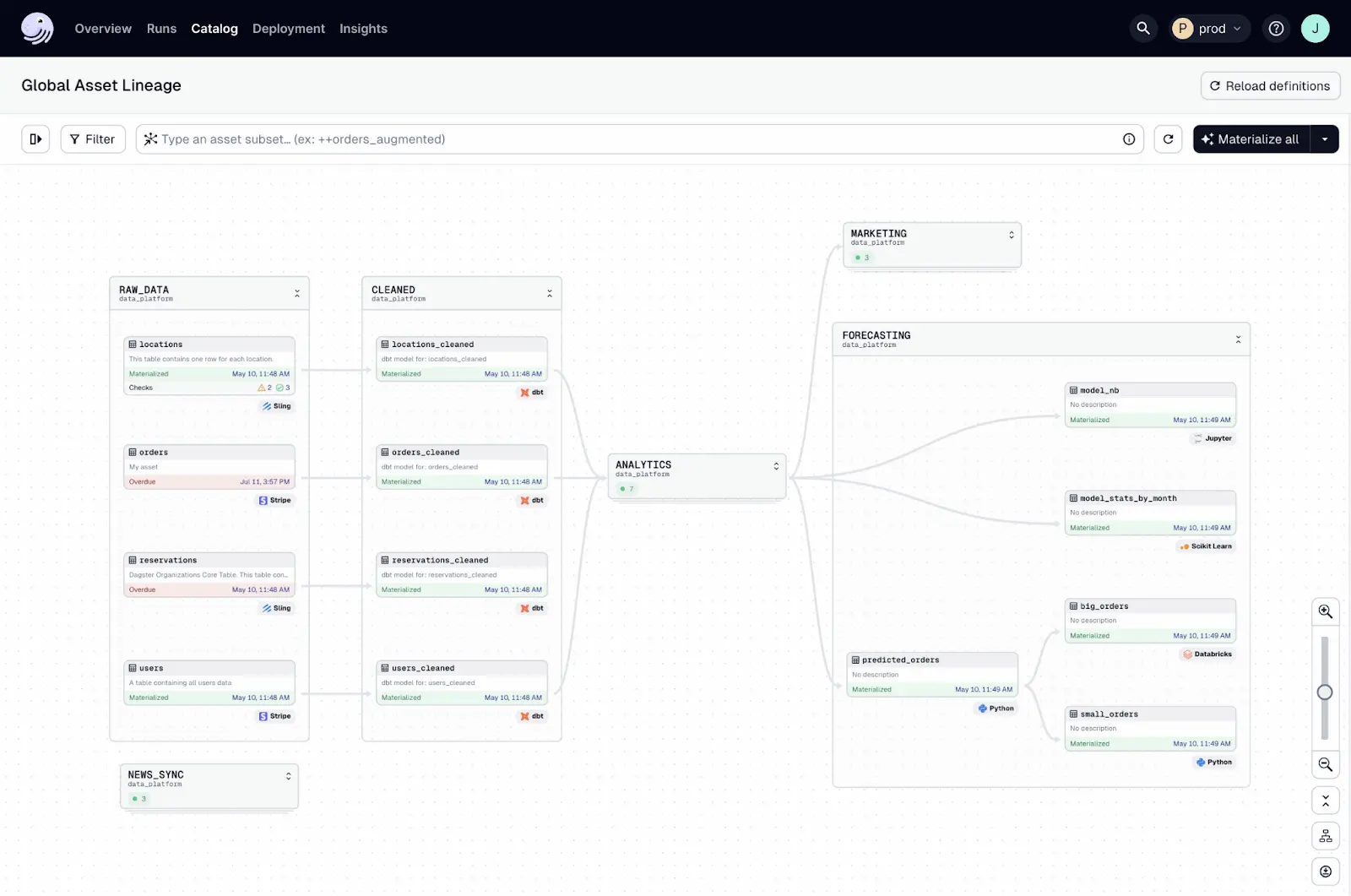
Dagster is a data orchestration platform designed to manage end-to-end data pipelines, with dbt commonly used as the transformation layer within a broader workflow. Rather than focusing solely on scheduling dbt commands, Dagster models pipelines around data assets and their dependencies, making it well suited for teams that need to coordinate dbt with ingestion, validation, and downstream processing.
Dagster emphasizes software-defined pipelines and strong observability. dbt runs orchestrated by Dagster are treated as first-class steps within a pipeline, allowing teams to monitor execution, capture metadata, and understand failures in the context of upstream and downstream dependencies. This makes debugging and impact analysis easier compared to job-level scheduling alone.
Key features:
- Asset-based orchestration – Model data pipelines as assets with explicit dependencies, enabling targeted re-runs and clearer lineage
- Native dbt integration – Orchestrate dbt Core projects while preserving dbt’s DAG and metadata
- Event-driven execution – Trigger dbt runs based on data arrival, upstream job completion, or external events
- Strong observability – Track runs, logs, and metadata across dbt and non-dbt steps in a single UI
- Flexible deployment – Available as a managed service (Dagster Cloud) or self-hosted
How to run dbt with Dagster:
- Install Dagster and its dbt integration: Add Dagster and the Dagster–dbt package to your environment
- Load your dbt project: Configure Dagster to reference your dbt project and profiles
- Generate your assets: Represent dbt models as Dagster assets automatically using Components
Schedule or trigger runs: Use schedules for time-based execution or sensors for event-driven runs
2. Airflow

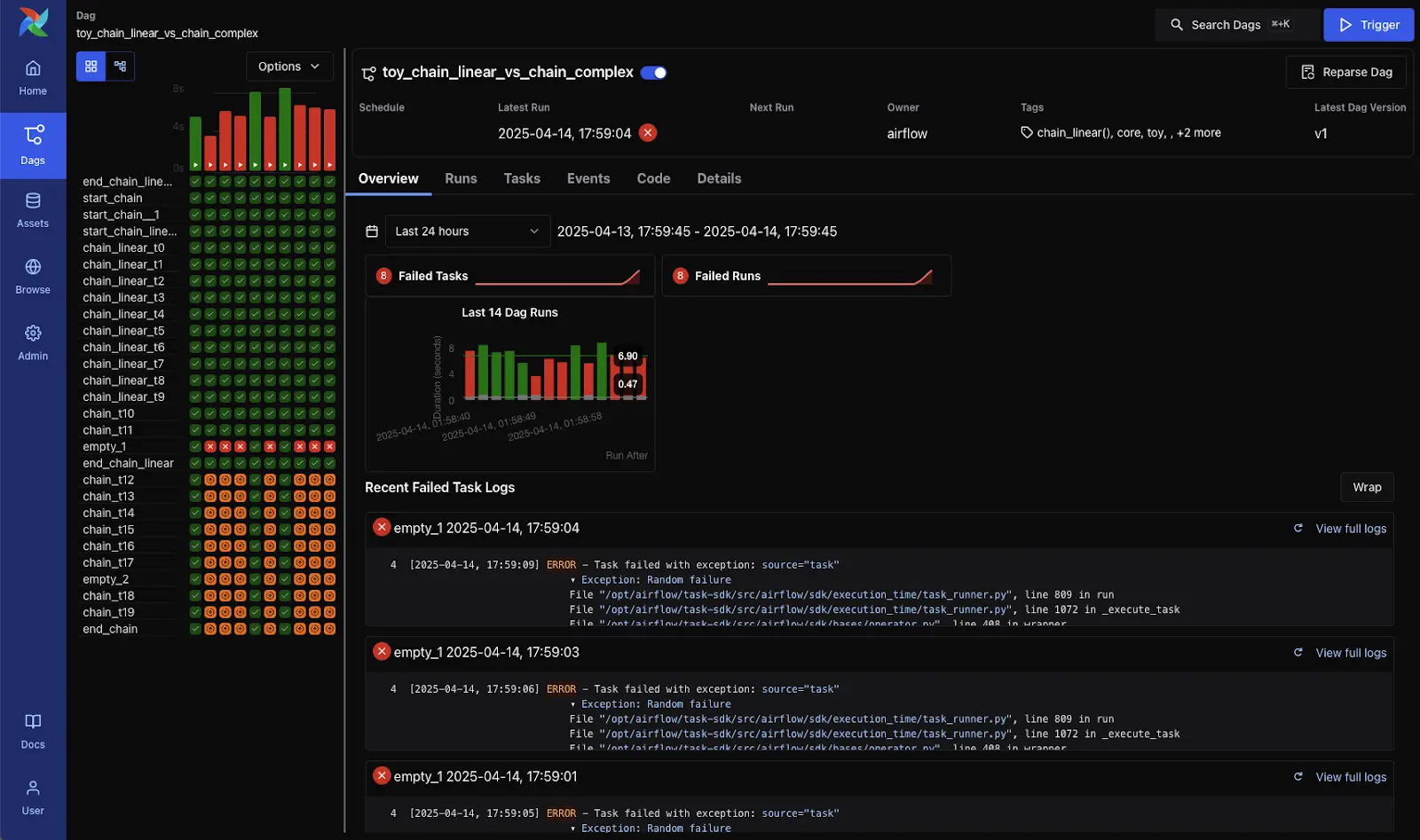
Apache Airflow is an open-source platform for programmatically authoring, scheduling, and monitoring workflows. It can be used to orchestrate dbt runs by defining custom DAGs (Directed Acyclic Graphs) that control when and how dbt models are executed. Airflow offers fine-grained control over task dependencies.
Key features:
- Flexible DAGs – Define workflows as Python code for full customization of task dependencies
- Extensible plugins – Integrate with cloud services, databases, and monitoring tools through a rich plugin ecosystem
- Scalability – Run on a single machine or scale out with Kubernetes and Celery executors
- Monitoring UI – Visualize and monitor task execution through a built-in web interface
- Retry and alerting – Configure retry logic and failure notifications to improve reliability
How to run dbt with Airflow:
- Install Airflow and dbt: Ensure both tools are installed in your environment.
- Define a DAG: Create a Python file that defines a DAG representing your dbt workflow.
- Use operators:
- BashOperator: Run dbt Core commands like dbt run, dbt test, or dbt seed via Bash.
- dbt Cloud Provider (if you still use dbt Cloud jobs): Use DbtCloudRunJobOperator to trigger dbt Cloud jobs from within Airflow.
Schedule and orchestrate: Set schedules for your DAGs and manage upstream/downstream dependencies with Airflow’s scheduler.
3. Prefect

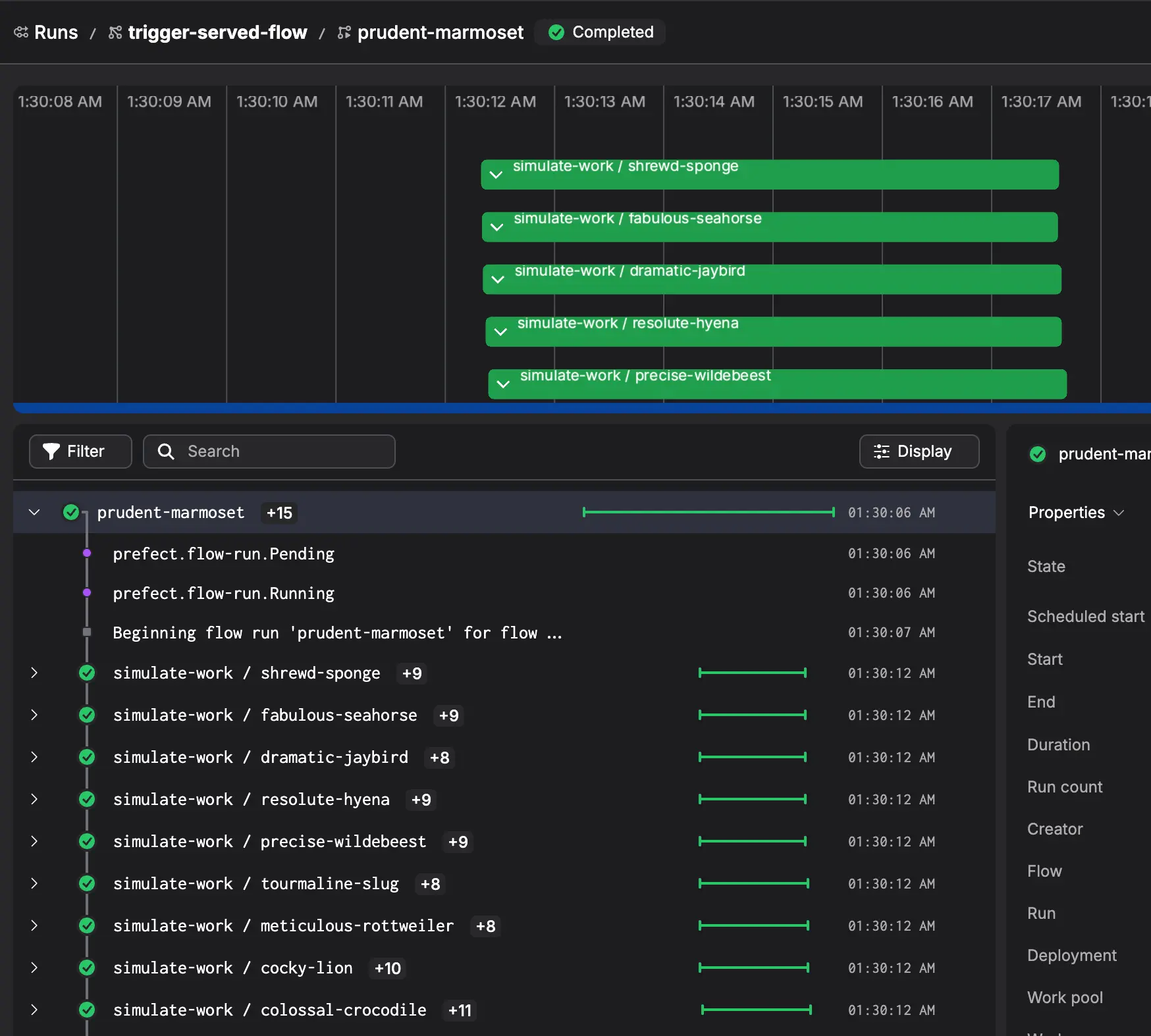
Prefect is a modern data workflow orchestration tool to simplify the management of complex data pipelines. It integrates smoothly with dbt and provides a Python-based interface for building, scheduling, and monitoring workflows. Prefect emphasizes observability and error handling, helping provide resilience and transparency in dbt pipelines.
Key features:
- Python-native workflows – Use Python code to define and manage dbt workflows
- Hybrid execution – Run locally or in the cloud with Prefect Cloud or Prefect Server
- Automatic retries and caching – Improve pipeline reliability and performance
- Dynamic task mapping – Create tasks at runtime for more flexible pipelines
- Rich UI and logs – Gain visibility into workflow runs with detailed logs and dashboards
How to run dbt with Prefect:
- Install Prefect and prefect-dbt: Add Prefect and the optional dbt integration package.
- Create a flow: In a Python script, define a Flow that wraps dbt commands as Prefect tasks.
- Call dbt CLI: Inside tasks, invoke dbt Core commands (e.g., dbt run, dbt test) using Python subprocess or provided blocks.
Schedule and monitor: Use Prefect’s scheduler and UI to trigger runs, inspect logs, and handle retries.
4. Orchestra

Orchestra is a developer-first orchestration platform for analytics engineers and dbt workflows. It allows teams to run dbt projects with integrated scheduling, monitoring, and metadata tracking, without the complexity of managing traditional orchestration systems. Orchestra focuses on ease of use and dbt integration.
Key features:
- Native dbt integration – Automatically detects and runs dbt models with minimal setup
- Simple scheduling – Configure runs using a clean, code-based interface
- Metadata insights – Track model dependencies and performance metrics over time
- Minimal setup – Get started quickly without managing infrastructure
- Cloud-native platform – Designed for data teams working in cloud environments
How to use Orchestra to run dbt:
- Connect your code repository: Authorize Orchestra to access your git repo (e.g., GitHub or Bitbucket) where your dbt project resides.
- Configure dbt tasks: Use pre-built tasks or configuration in Orchestra to execute dbt Core commands (like dbt run, dbt test, etc.) as part of your workflow.
- Define schedules and dependencies: Within Orchestra, set up schedules and orchestrate run sequences, ensuring dbt jobs execute at the right times and in the right order among other pipeline steps.
Monitor and iterate: Use Orchestra’s dashboards and logs to track run outcomes, lineage, and performance, allowing you to refine your dbt orchestration over time.
Conclusion
While dbt Cloud simplifies many aspects of managing dbt workflows, it's not the only way to run dbt in production. Tools like Dagster, Airflow, Prefect, and Orchestra provide alternative orchestration options with different strengths. Choosing the right one depends on the team’s technical expertise, infrastructure needs, and desired level of control over workflow execution.