
What Is dbt Job Scheduler?
The dbt job scheduler, included in dbt Enterprise and Enterprise+ tiers, is an orchestration tool to automate and manage the execution of dbt (data build tool) projects. Rather than running data transformations manually, teams use the job scheduler to automate model builds, testing, documentation generation, and deployment within their analytics workflow. By handling task scheduling, execution order, and monitoring, the scheduler ensures that data pipelines run reliably and employees are alerted to failures or inconsistencies in their models or data sources.
dbt job scheduler typically integrates with cloud-based data warehouses and can run on dbt Cloud or other orchestrators like airflow or prefect. It supports complex scheduling options, allowing teams to set up jobs that run at specific intervals or are triggered by external events. Its centralized job management, notifications, and logging capabilities are crucial for analytics engineering teams to ensure data consistency and deliver fresh, reliable insights to business stakeholders.
dbt Scheduler Core Concepts
Understanding the core components of the dbt job scheduler helps clarify how scheduling and execution are handled behind the scenes:
Scheduler
The scheduler is the engine responsible for managing job execution. It queues runs triggered by schedules or API calls, sets up temporary environments in the cloud data platform, and manages run-related artifacts like logs.
Job
A job is a configuration that defines what dbt commands to run, when to run them, and under what settings. Jobs are the primary way teams automate dbt tasks such as building models or running tests.
Job queue
When a job is triggered, it enters the job queue. The scheduler continuously checks this queue, evaluating whether each job is ready to start. If so, it provisions the necessary environment and begins execution.
Run
A run is a single execution of a job. Each time a job is triggered—either by schedule or API—it results in a distinct run.
Run slot
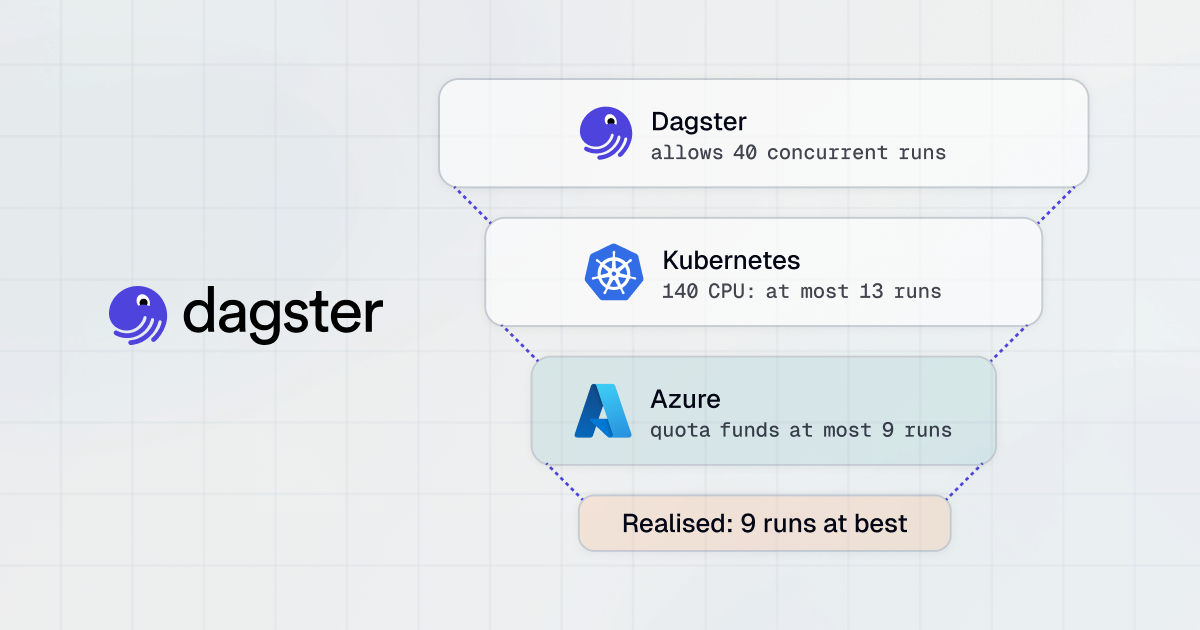
Run slots determine how many jobs can run at the same time. Each job in progress consumes one slot, and teams may need more slots to reduce wait times and support concurrent workloads.
Prep time
This is the time taken to set up the temporary environment for the run. Prep time can vary, especially during peak usage periods like the start of the hour.
Wait time
Wait time is the delay between when a job is queued and when it actually starts, often due to limited run slots or overlapping job runs.
Over-scheduled job
When a job's execution time exceeds its schedule interval, new runs begin to stack in the queue. If left unresolved, this can lead to a backlog and performance issues.
Deactivated job
If a job fails 100 times in a row, it's marked as deactivated and stops running automatically. This protects system stability and signals that intervention is likely needed.
Threads
Threads allow dbt to run parts of the DAG in parallel. The thread count defines how many steps dbt can execute simultaneously, with a default of 4 per job.
Understanding dbt Scheduler Queue
When a job is triggered—whether by a schedule, a completed job, an API call, or manual action—the scheduler places it into a queue before execution begins. The queued run then goes through several checks to determine whether it can start.
The first check is whether a run slot is available. If all slots are in use, the job remains in the queue, and the wait time is displayed in dbt.
The second check is whether the same job is already running. To avoid collisions in model builds, the scheduler only runs one instance of a given job at a time. If a run is already in progress, the new run will wait until the current one completes.
If both conditions are met, the scheduler begins preparing the run environment. This setup includes provisioning a Kubernetes pod, installing the correct dbt version, configuring environment variables, and loading credentials from the data platform and Git provider. The time spent here appears as Prep time in the UI.
CI job queue behavior
Continuous integration (CI) jobs are handled differently from deployment jobs. CI runs are triggered by pull requests, do not consume run slots, and can execute in parallel. Each CI run builds into its own temporary schema, allowing teammates to run checks without blocking production or waiting for other runs to finish.
Merge job queue behavior
Merge jobs, triggered by merged pull requests, do consume run slots and follow a stricter execution pattern. Only one run can be active at a time. If multiple runs are queued, the scheduler cancels older ones and keeps only the most recent. Any new run must wait until the active one finishes before starting.
Tutorial: Create and Schedule Jobs in dbt
This tutorial shows how to create and schedule jobs in dbt. Instructions are adapted from the dbt documentation.
To create and schedule a deploy job in dbt, start by ensuring the following prerequisites are met:
- You have a dbt account with a Developer seat license
- Your dbt project is connected to a cloud data platform
- You have access permissions to create, modify, or run jobs
- A deployment environment is already set up
Step 1: Create a Deploy Job
- In your deployment environment, click Create job > Deploy job.
- In the Job settings section:
- Job name: Enter a name, such as Daily Build.
- Description (optional): Add details about what the job does.
- Environment: This defaults to the environment where you're creating the job.
- Job name: Enter a name, such as Daily Build.
Step 2: Configure Execution Settings
In the Execution settings section:
- Commands: By default, the job runs dbt build. Click Add command to include additional steps. Commands are run sequentially, and if any step fails, the job will fail.
- Generate docs on run (optional): Enable this to build dbt docs during the job run. Failure in this step won't cause the job to fail if later steps succeed.
- Run source freshness (optional): Runs dbt source freshness before executing the job. Like docs, its failure won’t cause the whole job to fail if other steps succeed.
Step 3: Set Up Job Triggers
In the Triggers section, you can choose how the job is triggered:
Option A: Run on Schedule
- Timing:
- Intervals: Runs the job every X hours (e.g., every 2 hours).
- Specific hours: Run the job at specified UTC hours (e.g., 0,12,23 for midnight, noon, and 11 PM).
- Cron schedule: Use custom cron syntax for full control (e.g., 0 0 L * * for the last day of the month).
- Intervals: Runs the job every X hours (e.g., every 2 hours).
- Days of the week: Specify which days the job should run (defaults to every day when using Intervals or Specific hours).
Note: All scheduling is based on UTC. dbt does not adjust for local time zones or daylight savings.
Option B: Trigger on Job Completion
To run this job after another deploy job completes:
- Enable Run when another job finishes.
- Select the upstream Project and Job.
- Under Completes on, choose which statuses (e.g., success, error) will trigger this job.
Step 4: (Optional) Configure Advanced Settings
- Environment variables: Customize behavior using environment-specific variables.
- Target name: Define a target profile (used interchangeably with environment variables).
- Run timeout: Set a time limit for the job to complete.
- Compare changes against:
- No deferral (default): No state comparison.
- Environment: Compares against the last successful run in that environment using the manifest.
- This Job: Compares against the last successful run of this job.
- No deferral (default): No state comparison.
- dbt version: Inherits the environment's version by default. Avoid changing unless testing a new version.
- Threads: Defaults to 4. Increase to allow more concurrent model execution during the run.
After saving, your deploy job will be scheduled or triggered based on your configuration. Each job run includes detailed logs, timing data, and status to support monitoring and debugging.
Best Practices for dbt Scheduling
Optimize concurrency Settings
Job concurrency is governed by the number of available run slots in your dbt Cloud plan. Each job execution consumes one slot. If all slots are occupied, additional jobs are queued until a slot is free. Teams should monitor queue times and increase run slots when needed to support high-throughput workflows.
For jobs running complex or large DAGs, optimize thread counts to parallelize execution within a job. The --threads argument controls the number of models dbt executes in parallel. A higher thread count can improve performance but may strain your data warehouse if it leads to excessive simultaneous queries. Monitor warehouse utilization and find a thread count that balances performance with resource limits.
Avoid scheduling multiple jobs at the same minute, especially at the top of the hour. This creates a spike in compute usage and increases the risk of overlapping runs. Instead, stagger job start times by a few minutes (e.g., 12:00, 12:05, 12:10) to spread the load more evenly across time.
Use Modular and Maintainable Job Definitions
Design jobs around functional groupings of models rather than trying to run the entire DAG in every job. For example, separate staging layer refreshes from data marts and reporting layers. This reduces run time and improves traceability. Smaller, modular jobs also enable better testing and faster iteration.
Each job should have a clear scope and limited number of dbt commands. Avoid chaining too many commands in a single job. For example, a deploy job might include dbt build and dbt docs generate.
Use job descriptions to document what each job does and why it exists. When team members revisit the project after months, these annotations help explain execution logic and reduce onboarding time for new contributors.
Leverage Version Control for Job Changes
Although dbt Cloud manages job configuration via its UI, treating job definitions as code ensures consistency and auditability. For example, use the dbt Cloud API or Terraform provider to define jobs declaratively. This allows for peer review of changes, history tracking, and rollback via version control.
When using Git-based deployment flows, avoid making changes directly in the dbt Cloud UI unless those changes are also reflected in version-controlled configurations. Discrepancies between Git and UI-defined behavior can lead to confusion and unpredictable deployments.
Standardize naming conventions for jobs and branches (e.g., deploy-prod, ci-feature, snapshot-daily) to improve clarity in logs and CI tooling.
Embrace Slim CI
Slim CI uses state comparison and deferral to focus validation runs on only the parts of the DAG affected by a pull request. This dramatically reduces CI run times and warehouse costs. It works by comparing the current PR’s manifest with the production manifest, identifying only the changed models and their downstream dependencies.
Enable slim CI by configuring the --defer and --state flags in your CI job, pointing them to the production environment or a stable reference job. Also, ensure that dbt_artifacts or a comparable artifact store is enabled to track prior run states.
Slim CI is especially helpful in large projects where full DAG builds on every PR become impractical. It provides fast feedback to developers without overloading the environment or blocking other jobs.
Schedule Data Freshness and Snapshots Intentionally
Source freshness checks validate that upstream systems are providing timely data, but these checks can cause jobs to fail if thresholds are too strict. Schedule freshness validations to run outside peak hours and avoid coupling them with core model builds. For example, a daily 3am job can run dbt source freshness separately from deploy jobs.
Snapshots capture slowly changing dimensions by comparing current values against historical data. Because they query wide tables and write historical diffs, they can be expensive. Schedule snapshot jobs at low-traffic times (e.g., early morning) and avoid running them in parallel with large model builds to minimize contention.
Configure snapshot frequency based on how often the source data changes. Don’t snapshot hourly if data updates once per day. Use updated_at fields and dbt’s check_cols to optimize snapshot logic and avoid redundant processing.
Dagster: Enterprise-Grade Alternative to dbt Schedule
Dagster is a general-purpose data orchestration platform that can be used as an alternative to dbt Cloud scheduling when dbt is part of a broader data pipeline. Rather than focusing only on running dbt commands on a schedule, Dagster orchestrates end-to-end workflows that may include ingestion, dbt transformations, data quality checks, and downstream processing in a single system.
A key difference is Dagster’s asset-based orchestration model. Pipelines are defined around data assets and their dependencies, allowing Dagster to schedule or trigger work based on upstream data changes, not just time. This enables more targeted recomputation, only affected downstream assets run, reducing unnecessary dbt executions compared to job-level scheduling.
Dagster also supports event-driven execution through sensors, making it possible to trigger dbt runs when new data arrives or when upstream systems complete, rather than relying solely on cron schedules. This is useful for pipelines where data availability is irregular or tightly coupled to external systems.
Dagster can be deployed as a managed service (Dagster Cloud) or self-hosted, and is commonly used alongside dbt rather than replacing it. In this setup, dbt remains responsible for SQL transformations, while Dagster handles scheduling, dependency management, retries, and observability across the wider data platform.
FAQs about dbt Scheduler
How does the dbt job scheduler manage concurrent runs?
The scheduler manages concurrency using run slots, where each active job consumes one slot. If all available slots are occupied, additional jobs are placed in a queue. These queued tasks must wait until a slot becomes free before their temporary execution environment can be provisioned.
What happens when a scheduled job fails repeatedly?
If a scheduled job fails 100 times in a row, the scheduler automatically marks it as deactivated and stops it from running. This built-in protection mechanism helps maintain overall system stability. It also serves as a clear signal that manual intervention is required to resolve the underlying data or configuration issue.
How do continuous integration (CI) jobs differ from standard deployment jobs?
Continuous integration jobs are triggered by pull requests and can execute in parallel without consuming dedicated run slots. They build into temporary, isolated schemas rather than writing directly to production environments. This allows developers to run comprehensive checks safely without blocking production data pipelines or interfering with standard deployment jobs.
Why is it recommended to use version control for job definitions?
Treating job definitions as code ensures better consistency, auditability, and collaboration across data engineering teams. By using version control alongside your scheduler, organizations can seamlessly track historical changes and facilitate peer reviews. This practice also allows teams to quickly roll back to previous job configurations if unexpected issues occur during deployment.